A DAC with volume control isn't automatically a preamp, and treating it like one can turn a sensible system into a noisy, clipped, or unexpectedly dangerous chain. The important question isn't whether the front panel has a knob. It's where the level changes, how much precision survives, and what happens when the source reconnects.
I'm Marque Hersh, founder of Supermarket Sound, and I've learned to treat volume as load-bearing audio architecture. The wrong control can starve the signal at quiet levels, force the next component to run too hot, or send full-scale sound into headphones after a firmware hiccup. The right control makes the system quieter, simpler, and easier to live with.
Table of Contents
- The Knob Everyone Ignores
- What a DAC With Volume Control Does
- Digital Volume vs Analog Volume
- The Bit Loss Problem and Why 32-Bit Helps
- Where to Put the Volume in Your Signal Chain
- Setup Pitfalls and Firmware Behavior
- Which Knob Should You Actually Use
The Knob Everyone Ignores
Most listeners reach for the control that's closest. That instinct makes sense, but it ignores the signal chain. A volume adjustment before conversion behaves differently from one after conversion, and both behave differently from a dedicated preamp between the DAC and amplifier.
A digital attenuator reduces the numerical value of the audio before the DAC turns it into voltage. A properly designed high-precision engine can do that cleanly, especially with moderate attenuation. An older or lower-precision path can lose effective resolution as the level drops, leaving music with less texture and a flatter sense of space. The sound doesn't always collapse dramatically. More often, the background loses its blackness and low-level details stop feeling securely attached to the performance.
A separate analog control changes the signal after conversion. It leaves the digital word untouched, but the added circuit becomes part of the analog path. That circuit can contribute noise, alter channel balance, or affect the sound through its source impedance and gain structure. Neither approach gets a free pass.
Practical rule: Volume belongs in system planning, alongside amplifier gain, speaker sensitivity, and output level.
The safety side matters just as much. A compact USB or portable DAC may remember its last setting, ignore the phone's volume buttons, or reconnect at a level you didn't expect. User reports around modern portable DACs describe cases where the device itself controls volume while the phone or operating system does nothing, along with reconnection events that return the output to full volume. One recent iOS volume-control report shows why this isn't merely a convenience issue.
The wrong knob can produce haze, clipping, or a startling blast. Volume is structural.
What a DAC With Volume Control Does
A DAC with volume control decides where level reduction occurs in the signal chain. It can reduce the digital data before conversion, adjust the analog output afterward, or combine both methods within one chip. That choice affects resolution, noise, channel matching, control behavior, and what happens when the device reconnects.
Early CD-player designs worked in the 16-bit domain. Each attenuation step removed part of the usable signal information, so quiet playback could lose resolution and dynamic range. Audiophiles were debating digital volume control more than two decades ago, while manufacturers searched for cleaner ways to manage level. The historical discussion of digital volume control follows that move toward higher-precision processing.
Three generations of attenuation
Later designs shifted level processing into a 24-bit internal path. The additional working space allowed attenuation without immediately compromising the original 16-bit content. A 48 dB reduction could still preserve that information when the processing retained sufficient precision. By 2012, 32-bit controls were being described across DACs at a variety of price points, and modern designs increasingly use 32-bit or better processing.
The control may multiply the signal by a scalar, write values to an attenuation register, or operate through an analog output stage. Cirrus Logic codec documentation lists volume registers from 0 to -127 dB in 0.5 dB steps, with ramping available in 0.125 dB increments. The codec documentation shows that the control can be a defined hardware function rather than an imprecise software slider.
A related specification lists 0.5 dB increments from 0 to -127 dB, while another codec design provides 0 to 90.5 dB attenuation in 0.5 dB steps, with 0.125 dB micro-steps during ramping. The CS4244 datasheet illustrates the practical requirements: useful adjustment, deep attenuation, and smooth transitions.
For a plain-language explanation of the conversion stage, see Supermarket Sound's DAC conversion guide. The key point is straightforward. A volume knob reveals the user interface, not the location of the processing. Firmware can also decide whether that knob follows the operating system, stores its last level, or returns at an unexpectedly high output after reconnection. That behavior makes volume control a safety decision as well as a specification.
Digital Volume vs Analog Volume
Feed a DAC's output directly to a power amplifier and the control you turn determines whether a separate preamp stage earns its place. Digital volume can keep the chain compact, while analog volume can preserve the converter's full digital word before reducing the output voltage. The better choice depends on the signal path, listening level, and how safely the system behaves after reconnection.
Digital volume applies a coefficient to the audio data, writes an attenuation value to a register, or uses processing inside the DAC. Remote controls, apps, and operating systems can adjust it, and channel matching can remain precise across the range. There is no mechanical track to wear.
The trade-off appears with heavy attenuation in a path that lacks sufficient internal precision. A basic implementation may also change level in audible steps, creating zipper noise or a coarse transition. Ramping reduces that risk, but the control law and available headroom still determine how smooth the result feels.
Analog volume operates after conversion. A resistor network, potentiometer, or voltage-controlled amplifier reduces the output voltage while the DAC retains its original digital value. That can protect digital resolution, but the added analog stage brings its own noise, impedance, and gain behavior. Mechanical controls can age, and channel balance may drift at low settings unless the circuit uses close matching or trimming.
The choice depends on the rest of the chain
A digital control fits a compact desktop system where remote access, saved levels, and a short path matter. It is also practical when the DAC feeds an active speaker or another component with a suitable input stage. An analog control suits a DAC connected directly to a power amplifier, provided its output stage remains quiet and the control offers useful range.
| Attribute | Digital Volume | Analog Volume |
|---|---|---|
| Control location | Before conversion, or inside digital processing | After digital-to-analog conversion |
| Resolution | Can decline with heavy attenuation in a low-precision path | Digital resolution remains intact |
| Channel balance | Can remain closely matched through the range | Depends on resistor, pot, or VCA matching |
| Transition behavior | Requires ramping to avoid abrupt steps or zipper noise | Can be smooth, but depends on the circuit |
| Mechanical wear | None in a software or register control | Possible with mechanical controls |
| System integration | Works neatly with apps, remotes, and source switching | Often requires a physical control or dedicated preamp |
| Signal-path concern | Processing precision and internal headroom | Added analog noise, impedance, and gain behavior |
Some designs place volume in a defined output-stage register rather than exposing an undefined software slider. The ADAU1373 provides line-output volume from mute to 0 dB in 32 steps. Its datasheet shows why “hardware volume” still requires examination of the actual circuit.
The practical winner is the control that matches the chain and starts at a safe level after power-up or reconnection. Convenience matters, but predictable behavior matters just as much.
The Bit Loss Problem and Why 32-Bit Helps
The familiar rule says digital attenuation costs about 1 bit for every 6.02 dB. That relationship appears in the practical explanation of digital volume and resolution loss at Pure Signal's discussion of attenuation and bit depth.
Using a 16-bit source, a 12 dB reduction costs roughly 2 bits, leaving about 14 effective bits in the simplified model. A 48 dB cut costs roughly 8 bits, reducing a 16-bit signal to approximately 8-bit quality if the path truncates without carrying additional precision. The same reference gives the practical recommendation of keeping digital attenuation under about 12 dB for 16-bit content, or using 24-bit or 32-bit output and handling level in the analog stage. The bit-depth calculator's explanation lays out that calculation directly.
That model describes the danger, not every modern DAC's actual behavior. It assumes a fixed-point path that loses information during requantization. Dither can randomize truncation error, and a converter usually performs internal processing at greater precision than the source. The bit depth of the file doesn't automatically define the bit depth of the volume engine.
The internal word changes the outcome
A 24-bit engine gives a 16-bit source additional working room. A 32-bit engine gives it more again. If the converter carries those extra bits through its attenuation and only reduces precision at the final stage, moderate cuts can remain below the converter's own noise floor.
| Attenuation | Effective Bits, 16-bit source | Effective Bits, 24-bit internal | Effective Bits, 32-bit internal |
|---|---|---|---|
| 0 dB | 16 | 24 available internally | 32 available internally |
| -6.02 dB | 15 | 23 | 31 |
| -12.04 dB | 14 | 22 | 30 |
| -24.08 dB | 12 | 20 | 28 |
| -48.16 dB | 8 | 16 | 24 |
The table is a simplified arithmetic model based on the 6.02 dB per bit relationship, not a promise about audible performance in every converter. Actual audibility depends on dither, noise shaping, output-stage noise, listening level, amplifier gain, headphones, speakers, and the room.
Headphones can expose low-level artifacts because the transducers sit close to the ear and often reveal background hiss or grain. Speakers in a room impose their own acoustic noise floor, which may mask small changes. A quiet headphone chain can make a poor attenuator obvious. A noisy amplifier can hide it.
Sigma-delta converters complicate the simple story further. Their oversampling and noise shaping move quantization energy away from the audible band, so a one-bit-per-6.02-dB calculation doesn't describe the entire conversion process. The practical conclusion remains firm. Digital volume works well when the engine carries spare precision.
Where to Put the Volume in Your Signal Chain
The correct control depends on what sits downstream. A DAC driving headphones has a different job from a DAC feeding powered monitors, and neither resembles a DAC connected to a power amplifier and passive speakers.
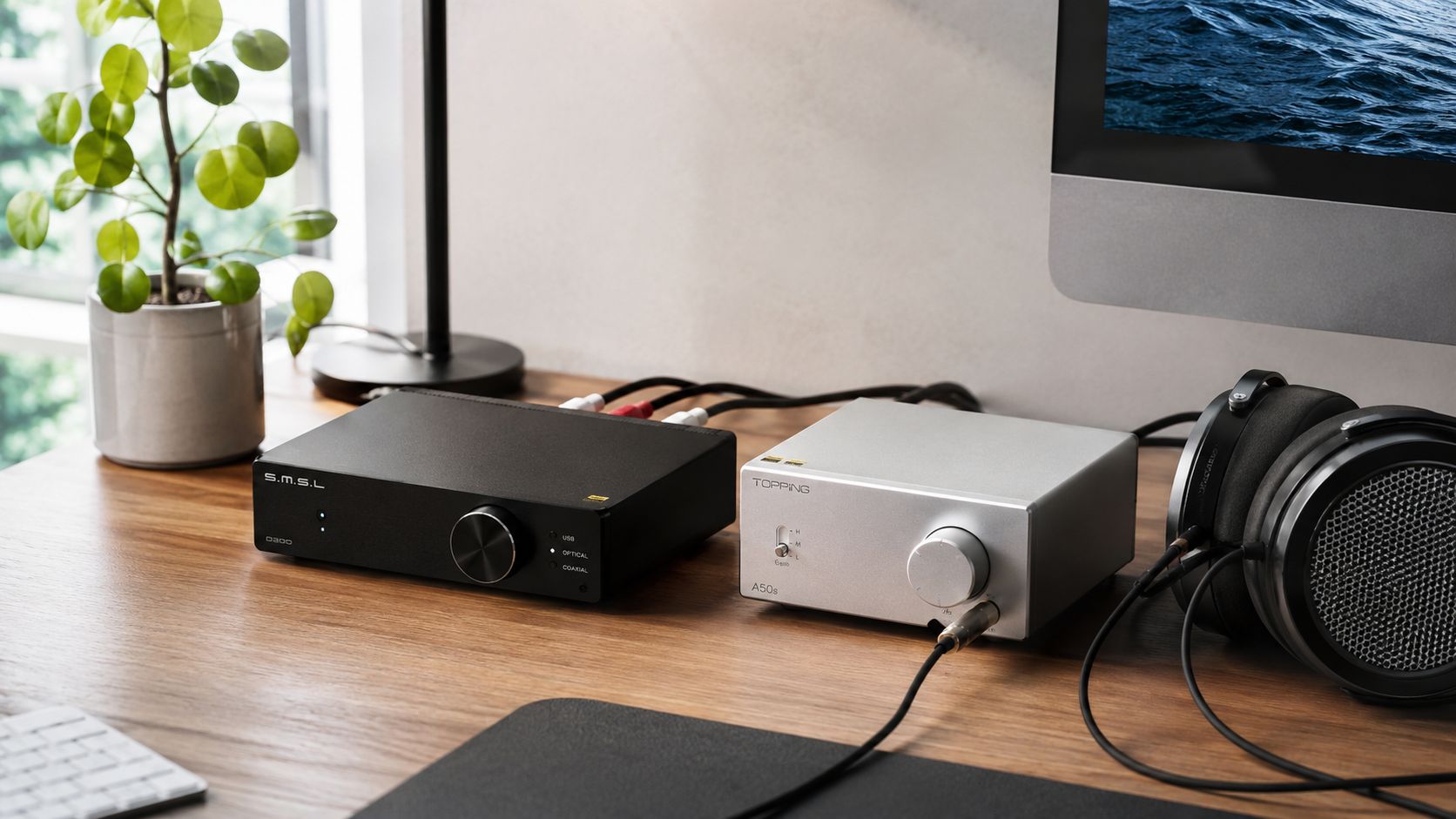
Headphones on a desktop
If the DAC feeds a dedicated headphone amplifier with a quality analog control, I'd normally run the DAC at fixed output, or close to unity, and use the amplifier's pot. The DAC preserves its digital resolution, while the analog stage handles the final listening level.
The gain switch matters. A high-gain setting can make the pot operate too close to its bottom range, where channel imbalance and touchy adjustment become more apparent. A lower gain setting usually gives the control more usable travel and keeps sensitive headphones away from an accidental blast.
For a deeper explanation of the division of labor, see Supermarket Sound's guide to headphone amps versus DACs. The DAC supplies conversion. The amplifier supplies drive. The volume control should sit where it can do its job.
Powered monitors from balanced outputs
Powered monitors change the equation because the amplifier already lives inside each speaker. A variable-output DAC can act as the preamp, and that often keeps the path short. Set the monitor trims consistently, use the DAC for everyday level, and avoid making two separate controls fight each other.
This arrangement works best when the DAC offers smooth ramping, a dependable startup level, and enough output headroom. Consumer line-level output is commonly referenced around -10 dBV, or 0.316 Vrms, while some modern DACs publish line-output levels near 1.95 Vrms. The line-level discussion and example output figures show why output level matters. Excessive level can make the monitor inputs run unnecessarily hot.
The video below shows the kind of compact desktop layout where the DAC may serve as the central level control.
Power amplifier and passive speakers
A DAC with a proper variable output can feed a power amplifier directly, removing a separate preamp from the rack. That can sound open and immediate, but the decision rests on source impedance, low-level channel balance, output headroom, and bypass behavior, not on the presence of a big knob.
A separate analog preamp gives you source switching, additional inputs, and a familiar control surface. A direct DAC-to-power-amp setup gives you fewer boxes and fewer gain stages. I prefer the direct route when the DAC's control remains smooth at normal listening levels and the amplifier doesn't expose a noisy or overly sensitive input.
Let the quietest, cleanest control set the level. That's the system rule.
Setup Pitfalls and Firmware Behavior
The most dangerous volume problem I've encountered isn't subtle loss of resolution. It's the reconnect surprise.
A phone or computer may establish a USB connection, restore the DAC's remembered state, and hand the listener a level that no longer suits the attached headphones. Some devices let the DAC buttons control level while the operating system slider does nothing. Others present a software slider that appears active but doesn't change the hardware output.
Firmware determines much of this behavior. A sensible implementation can apply a startup cap, engage a soft mute, and ramp the output gradually after reconnection. A careless one can wake at full level.
Computer audio changes the contract
Operating systems don't all treat the DAC's volume register the same way. A fixed-level stream may ask the DAC to perform the attenuation. A system mixer may reduce the samples before transmission. Exclusive playback modes can bypass the ordinary mixer and leave the hardware control as the only active authority.
That's why a volume slider can work in one playback mode and appear dead in another. The computer may be sending a bit-perfect stream while the DAC expects its own buttons or remote to manage level. The reverse can also happen, with the operating system changing the samples while the DAC remains fixed.
The same distinction matters when moving between a computer and a phone. Before listening, confirm which device controls volume, whether the DAC remembers its state, and whether reconnecting changes it.
Safety check: Start with the downstream amplifier or headphone output turned down, reconnect the source, then raise level slowly.
HDMI audio extractors add another nuisance. Input changes can reset volume, alter the active output, or trigger a fresh handshake that restores a stored state. Lip-sync settings can also make the user revisit the extractor's menu, where a level control may sit separately from the DAC or display device.
The difference between a DAC and an audio interface becomes useful here because interfaces often expose monitoring controls and routing behavior that ordinary DACs don't. Treat firmware notes as part of the product, not paperwork you throw away.
Update firmware when the manufacturer specifically addresses reconnection, operating-system volume, mute, or startup-level behavior. Hardware is only half the control.
Which Knob Should You Actually Use
A casual listener with one DAC feeding powered speakers or headphones should usually choose the control that creates the fewest handoffs. Fixed DAC output with software level control can work well when the operating system behaves reliably and the downstream device doesn't need constant adjustment.
That setup has a weakness. Software volume can disappear into an exclusive playback mode, an app can remember a different level, and a reconnect can restore a state you didn't expect. Keep the downstream level low while testing, then decide whether the DAC, phone, computer, or speaker control should own daily use.
Headphone listeners
With a dedicated headphone amplifier, fixed DAC output and analog level control usually make the most sense. Use the amplifier's lower gain when possible, give the pot enough travel, and avoid leaving sensitive headphones connected during firmware updates or source changes.
A variable DAC can still work, especially when the amplifier lacks a usable control. In that case, set a conservative startup level and verify the reconnect behavior before trusting the system unattended.
Full-system owners
A DAC feeding a power amplifier and passive speakers can operate in variable mode and skip a separate preamp. That's useful in a small rack, but only if the DAC provides a stable control, sensible channel tracking, and enough output range for the amplifier.
A separate analog preamp remains the better fit when you need multiple sources, a dependable physical control, or a bypassable direct path. The cleanest circuit on paper isn't always the easiest one to operate at midnight.
I publish practical gear guidance through Supermarket Sound, but the recommendation stays the same across brands and budgets. Choose the stage with the lowest noise floor and cleanest ramp. Make that your volume authority.
Before buying a DAC with volume control, check the attenuation method, internal precision, output level, startup behavior, operating-system compatibility, and firmware history. Then map that control to your actual chain instead of choosing the device with the largest knob.
If you're building or repairing a system, write down which component owns volume, set every other control conservatively, and test a full reconnect before putting headphones on. That small discipline protects the gear, protects your hearing, and usually produces the cleaner sound. The right knob isn't the most convenient one. It's the one downstream can trust.

