Most podcasting advice is upside down. People obsess over the mic, then plug it into the wrong box and wonder why their voice comes back papery, cramped, and weirdly smaller than it sounded in the room.
The best audio interface for podcasting isn't the one with the sexiest spec sheet. It's the one that makes spoken-word work feel frictionless, keeps gain under control, gives you sane monitoring, and doesn't starve the signal before your edit even starts. A good music interface can be fine for podcasting. Fine is not the goal. Presence is.
Early answer, because I know why people search this. If you want the safest recommendation for most podcasters, buy the purpose-built podcasting option. If you want a reliable generalist that still does the job, buy the proven workhorse. If you're building a multi-person show, stop pretending a solo box will stretch. If you're producing at a level where recording through processing matters, then premium starts to make sense.
Here's the quick read before the details.
| Workflow | What I'd Choose | Why |
|---|---|---|
| Solo host who wants simple setup | Focusrite Vocaster Two | Built for voice workflow, not music-first compromises |
| Solo host who also records music | Focusrite Scarlett 2i2 | Strong all-rounder with a huge installed base |
| Two people in the room, podcast-first | Focusrite Vocaster Two | Podcast controls make sessions smoother |
| Multi-mic show with production needs | Zoom PodTrak P4 | Dedicated podcast workflow matters more than generic I/O |
| Premium solo or small studio setup | Universal Audio Apollo Twin X | Real-time DSP and a more “finished” sound on the way in |
Your Mic Is Only Half the Story
A microphone doesn't make a podcast sound finished. It captures a voice. The interface decides whether that voice arrives with body, grip, and control, or whether it shows up half-dressed and underfed.
That's the part people hate hearing, because microphones are fun and interfaces look like utility boxes. But the interface is the load-bearing part of the chain. It handles gain. It handles monitoring. It handles the relationship between your voice, your headphones, your computer, and everything downstream. If that box is clumsy, noisy, or built for somebody else's workflow, your whole show inherits it.
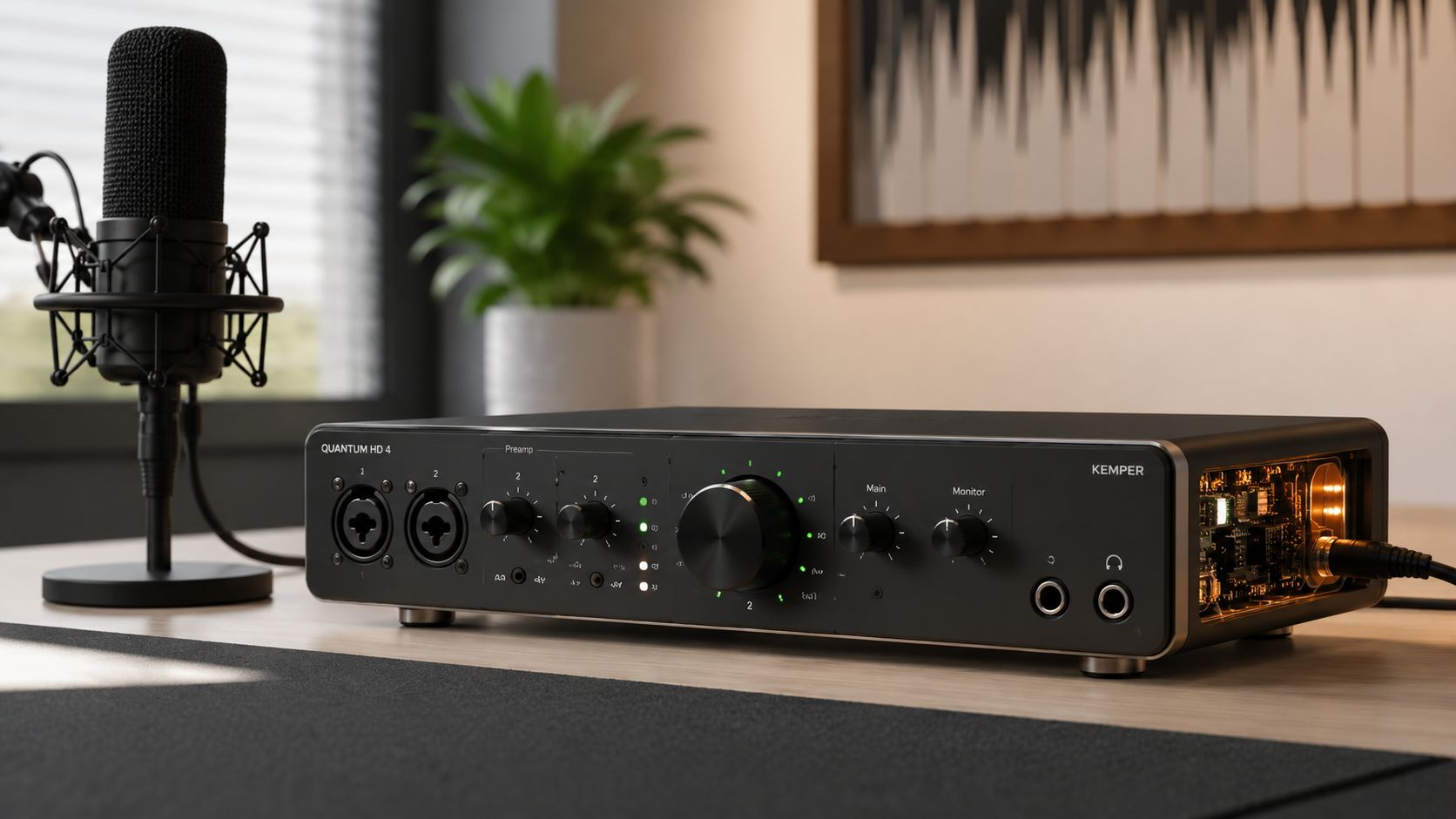
The Interface Shapes More Than Volume
This isn't about making a mic louder. It's about whether your voice lands with density or with that brittle, overexposed edge that says "recorded on a laptop at midnight."
A bad interface choice usually shows up in ways beginners don't know how to name:
- Thin mids that make speech feel lightweight
- Touchy gain staging that turns every laugh into a problem
- Annoying monitoring that makes hosts talk differently than they do naturally
- Awkward routing that turns remote guests into a production tax
Not glamorous. Very real.
Your listeners won't describe the interface. They'll describe the fatigue it caused.
Podcasting Is a Workflow Problem First
Music people often shop interfaces like they're buying studio infrastructure for drums, synths, and late-night guitar ideas. Podcasters need something else. They need a box that gets out of the way while still giving the voice shape and stability.
That's why the best audio interface for podcasting is not automatically the "best sounding" one on paper. It's the one that keeps the floor solid under a spoken-word session. The one that lets you sit down, monitor cleanly, set gain fast, and keep the room human.
That's the instrument.
The Only Specs That Matter for Voice
Most interface specs are brochure confetti. For podcasting, I care about three things. Clean gain, routing that matches reality, and usability that doesn't make you think about the box while you're trying to talk.
Everything else is secondary.
Clean Gain Beats Fancy Numbers
For voice, gain isn't just loudness. It's whether the interface can bring up a microphone without making the background feel grainy, pinched, or nervous. Spoken-word recording lives in that zone where small ugliness matters. A little rasp in the wrong place turns into listener fatigue over an hour.
If you're using a gain-hungry dynamic mic, this matters even more. You want enough usable gain that your tone stays intact instead of thinning out as you push the preamp harder. Clean gain gives a voice weight. Bad gain makes it feel like cardboard with lips.
One podcast-specific option makes that point clearly. The Focusrite Vocaster Two is built around voice use, with dual XLR inputs and 69dB of gain range, plus one-touch gain setup in its companion software, according to Brian Li's breakdown of the Vocaster Two. It also lists 24-bit/192kHz conversion and -118dB THD+N, though these technical measurements aren't the main point. It's that the thing is engineered to make spoken voice easy to capture cleanly.
Routing Should Match the Way You Actually Record
A musician can tolerate weird routing if the track sounds good. A podcaster shouldn't have to.
For spoken-word work, I want the interface to answer practical questions fast:
- Can I monitor without hearing delay? That's zero-latency monitoring. It keeps your speech natural.
- Can I bring in remote audio cleanly? That's where loopback earns its keep.
- Can two people hear what they need to hear? Separate headphone control isn't luxury. It's sanity.
- Can I mute or recover quickly mid-session? That's workflow, not decoration.
If any of that feels fuzzy, get your terms straight before you buy. I keep a plain-English reference for exactly this stuff in The No-Bullshit Audiophile Glossary. Audio gets expensive when you buy words you don't understand.
Practical rule: For podcasting, the right controls on the top panel matter more than a prettier spec sheet on the product page.
Usability Is Not a Soft Metric
People act like usability is the cute side issue and sound quality is the serious one. For podcasting, usability is part of sound quality because it changes performance.
If setting gain is annoying, you'll rush it. If monitoring is confusing, you'll talk differently. If muting yourself takes a software click hunt, you'll leave coughs and chair noise in places they shouldn't be. The interface isn't just capturing the session. It's shaping behavior inside it.
So my filter is brutally simple:
| What matters for podcasting | Why it matters |
|---|---|
| Clean, easy gain | Voices need weight without hiss or strain |
| Zero-latency monitoring | Hosts speak naturally when they hear themselves correctly |
| Loopback or practical routing | Remote guests and live playback stop being a mess |
| Headphone usability | Better monitoring leads to better delivery |
| Fast controls | Less fiddling, better takes |
That's the shortlist. Not a thousand blinking promises.
The Workhorses Focusrite Scarlett vs Vocaster
Podcasters keep buying music interfaces and then wondering why recording feels clunky. That mistake costs more than a few missing features. It changes how you sound in the room.
This is the primary distinction. Do you want a general recording box that can handle a podcast, or a podcasting box that keeps a session moving? For most voice-first shows, the second option wins.
Focusrite Scarlett 2i2 Vs. Vocaster Two
| Feature | Focusrite Scarlett 2i2 | Focusrite Vocaster Two |
|---|---|---|
| Core identity | General-purpose interface | Podcast-first interface |
| Best fit | Podcasters who also record music | Podcasters who care about fast spoken-word workflow |
| Inputs | Two mic inputs | Two mic inputs |
| Setup style | Traditional interface workflow | Voice-focused workflow with guided gain tools |
| Monitoring approach | Standard interface monitoring | Podcast-oriented control layout |
| Session feel | Flexible, familiar, a little more hands-on | Faster, more guided, less fiddly |
The Scarlett Works. That's Why So Many People Buy It.
The Scarlett has earned its reputation. It is stable, predictable, and easy to recommend to anybody who records more than one kind of thing. Plug in a decent mic, set your gain properly, and it gives you a clean, no-drama path.
Sound-wise, it tends to come across straight and unromantic. That is good for voice. You do not want an interface adding fake gloss to speech. You want a solid capture that takes EQ and compression well later.
But podcasting is not only capture. It is talking while monitoring, muting fast, setting levels without breaking your train of thought, and getting a guest through a session without turning your desk into tech support. A traditional interface can handle that. It just makes you do more of the work.
The Vocaster Is Built for the Job
That is why the Vocaster makes more sense for a lot of podcasters.
A podcast-focused interface is not about prettier marketing copy or some fantasy of "broadcast sound" in a box. It is about fewer interruptions between your mouth and the recording. Gain setup is quicker. Monitoring makes more sense. The controls are laid out for spoken-word sessions instead of general recording duty. You spend less time staring at software and more time listening for mouth noise, plosives, room slap, and whether your co-host sounds like a person or a laptop in a kitchen.
That difference shows up in performance. Hosts speak better when the setup stops getting in their way.
Buy the general interface if you split your time between music and podcasting. Buy the podcasting interface if the show is the main job.
My Straight Recommendation
If you record a voice-first show and you are not tracking instruments, stop overbuying versatility you will never use. Get the box designed for speech workflow.
If you write songs, record demos, and podcast on the same desk, the Scarlett still makes sense. It is the better utility player. For a podcast-first buyer, though, utility is not the point. Speed, monitoring, and session control are.
If you want the wider view before you commit, read this guide to the best audio interface for recording. For pure podcasting, the answer is simple. The Scarlett is the safer generalist. The Vocaster is the sharper tool for the actual work.
Beyond the Solo Host Multi Mic Setups
The moment you add a second mic, your interface stops being a sound-quality purchase and becomes a session-management purchase.
Solo podcasters can get away with a few annoyances. Two hosts, a guest, or a remote caller cannot. Bad headphone control, clumsy routing, and one weird monitoring issue will slow the whole room down faster than any preamp spec ever will.

More Mics Expose Weak Workflow
A second person reveals every lazy compromise in your setup.
You hear it right away. One host is too loud in their headphones and starts speaking timidly. The other cannot hear enough of themselves and begins pushing their voice. Somebody drifts off-mic. Somebody taps the table. If a remote guest gets their own voice bounced back with delay, the conversation turns stiff and unnatural in seconds.
That is why input count alone is a bad way to shop for a podcast interface. Four inputs on a music box can still be the wrong tool if the routing is clunky and monitoring takes three menus and a prayer.
What Multi-Host Shows Need
For spoken-word production, the priority list changes:
- Headphone control that makes sense. People perform better when they can hear themselves comfortably.
- Fast, obvious routing. You should not need a software scavenger hunt to set up a guest.
- Reliable remote-call handling. Mix-minus is not a luxury. It prevents delayed self-monitoring that kills conversation.
- Simple session control. Record, monitor, mute problems, keep the show moving.
That is why dedicated podcast hardware keeps earning a place in real studios and home setups. It is built around the messiest part of podcasting, which is not tone. It is people.
A multi-host podcast needs a control center, not a larger version of a solo rig.
Mix-Minus Matters More Than Fancy Specs
Mix-minus sounds boring until your first remote interview goes sideways.
The job is simple. Your guest hears the full conversation without hearing their own voice come back a fraction of a second late. Without it, people start pausing, talking over each other, or asking you to repeat every third question. You can build that routing on a standard interface, but you are choosing more setup time and more ways to screw up something your guests should never notice.
If your show is growing beyond one mic, start looking at boxes designed around that reality, not just musician-friendly input counts. If you want a broader shortlist, this guide to the best audio interfaces under $500 is a good next filter.
Here's the practical way to choose:
| Your show format | Better fit |
|---|---|
| Solo host with occasional guest | Two-input interface |
| Two people in the same room | Podcast-focused interface with clear monitoring control |
| Regular in-person interviews | Dedicated podcast production unit |
| Remote call-ins and live playback | Dedicated unit with easy call routing and mix-minus |
If you want to see a visual walkthrough of this style of setup in action, this is a useful watch.
Once multiple humans are involved, stop buying like a solo creator. The right interface keeps the room sounding calm, controlled, and easy to follow. The wrong one turns you into unpaid tech support.
The Forever Interface When to Go Premium
Most podcasters do not need a premium interface. Some absolutely do. The trick is not lying to yourself about which camp you're in.
A premium interface earns its keep when you can hear, use, and monetize the difference in workflow or finish. Not because the aluminum feels expensive. Not because the forums get religious about converters.
What Premium Actually Buys You
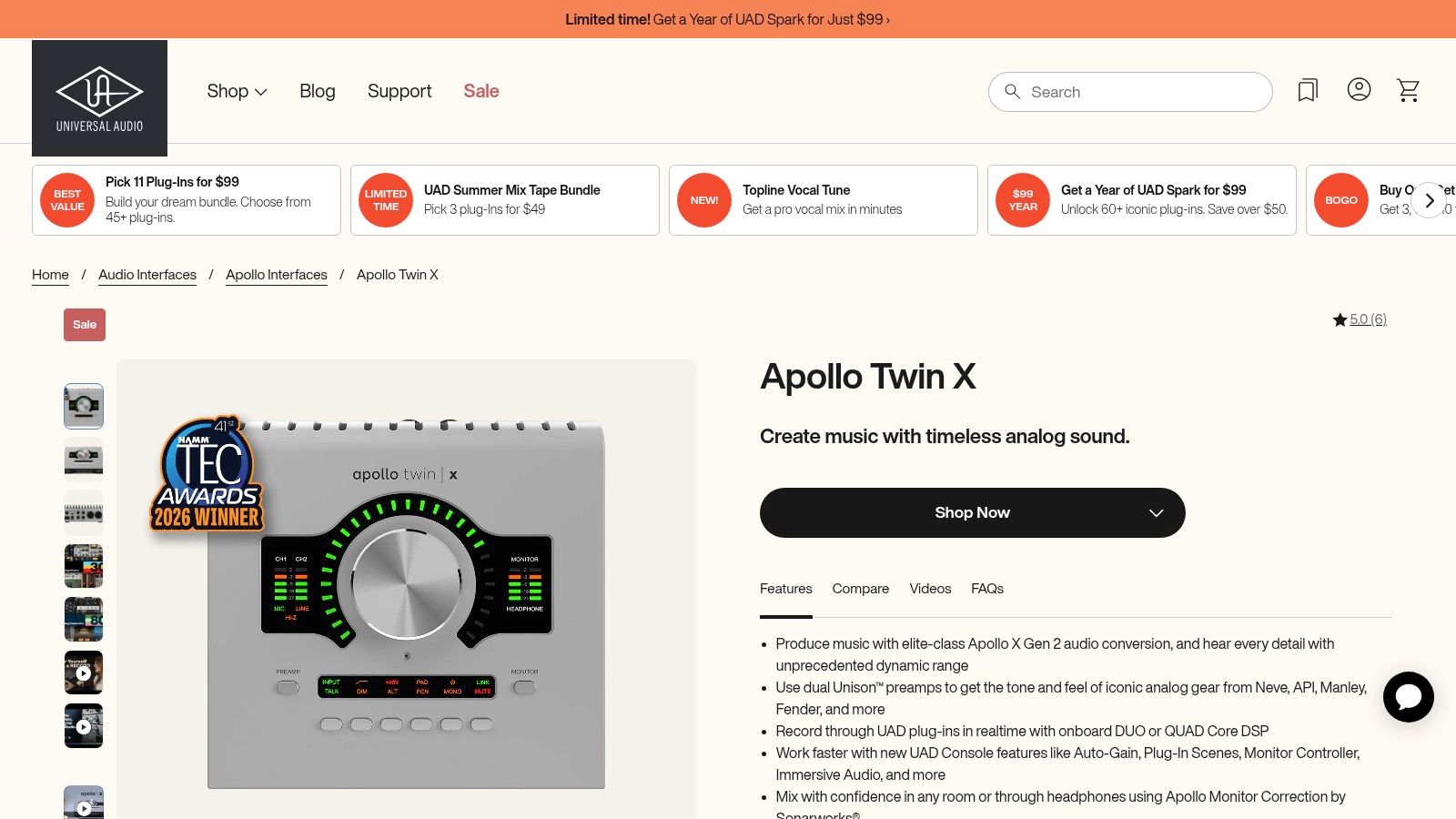
One of the clearest examples is the Universal Audio Apollo Twin X. It's widely recognized as a high-quality home-recording interface, and high-end models like it are distinguished by onboard DSP that allows real-time processing with virtually no latency, according to MusicRadar's overview of top audio interfaces. That's the headline feature. Not prestige. Not internet points. Real-time processing.
For a podcaster, that can mean recording through compression, EQ, or other sweetening moves in a way that feels immediate and controlled. You hear the finished direction while you speak, not some dry placeholder version you're promising yourself you'll fix later.
What It Sounds Like
To my ears, the jump to a premium interface isn't usually some fireworks display. It's subtler and more useful than that.
The voice tends to come back with:
- More density in the center. Words feel planted instead of sketched.
- Better spatial calm. Silence around the voice feels darker and less hashy.
- More believable top-end. Sibilants stay articulate without spraying all over the place.
- A more finished monitor feed. You perform better because what you hear feels closer to the end product.
That's the part spec sheets never explain. Better gear can change delivery because the headphones stop fighting you.
Use premium gear when the monitoring changes your performance, not when you just want nicer desk jewelry.
Who Should Actually Spend Up
I'd only push podcasters toward premium if one of these is true:
- You record constantly and setup friction now costs you time every week.
- You already know your voice chain and want to commit on the way in.
- You produce for clients or multiple shows where consistency matters.
- You can hear the difference between "usable" and "finished" and that difference matters to your work.
If you're still building basic habits, don't buy your way around inexperience. That's expensive cosplay. A good mid-tier or podcast-first interface will carry you a long way.
If you are shopping that higher tier, I've got a more budget-framed map in my guide to the best audio interface under 500.
Premium is real. It's just not mandatory.
Answering the Questions Everyone Is Afraid to Ask
Let's do the part forums usually mangle.
Do I Need an Interface if I Use an XLR Mic
Yes.
An XLR mic needs something to do the actual interface job. That's not a preference question. That's the chain. The more interesting question is whether you can skip the interface by using a USB mic instead. You can. A lot of people do. A lot of people also outgrow it fast.
According to the verified summary tied to this YouTube source on USB versus XLR podcast sound, 41% of users report "thin, lifeless" vocals with USB mics, and 33% of podcasters switched from USB to an XLR-plus-interface setup in 2025 specifically to fix that flat sound. That's the issue hiding underneath the beginner FAQ. Not "will it work." Will it sound finished enough that you won't resent it later.
Is Phantom Power Some Advanced Thing I Can Ignore
No. It's basic infrastructure if your mic needs it.
You don't need to become a tiny electrical engineer. You just need to know that some microphones require that power to operate correctly. If your setup starves the mic, the rest of your chain can't rescue the result. Downstream inherits the problem.
What Does Latency Actually Feel Like
It feels like trying to talk while somebody repeats your last word half a beat later into your skull.
That's why low-latency or zero-latency monitoring matters so much for podcasting. This isn't a luxury for golden-eared obsessives. It's conversational stability. If monitoring is wrong, hosts speed up, hesitate, talk louder than they should, or stop trusting their own rhythm.
Is Built-In Computer Audio Good Enough
For serious podcasting, no.
It's fine for hearing a video. It's fine for a call. It's not the floor you want under a spoken-word production chain if you care about control, gain, monitoring, and repeatability.
Here's the blunt version:
- USB mics are convenient if convenience is the whole mission.
- Interfaces are better if voice quality and workflow matter.
- Built-in computer audio is fallback gear, not production gear.
That's the answer. Clean and annoying.
If you want more straight gear advice without the usual brochure perfume, read more at Supermarket Sound.
Author: Marque Hersh
Publisher: Supermarket Sound
Author profile / sameAs: Steam profile

