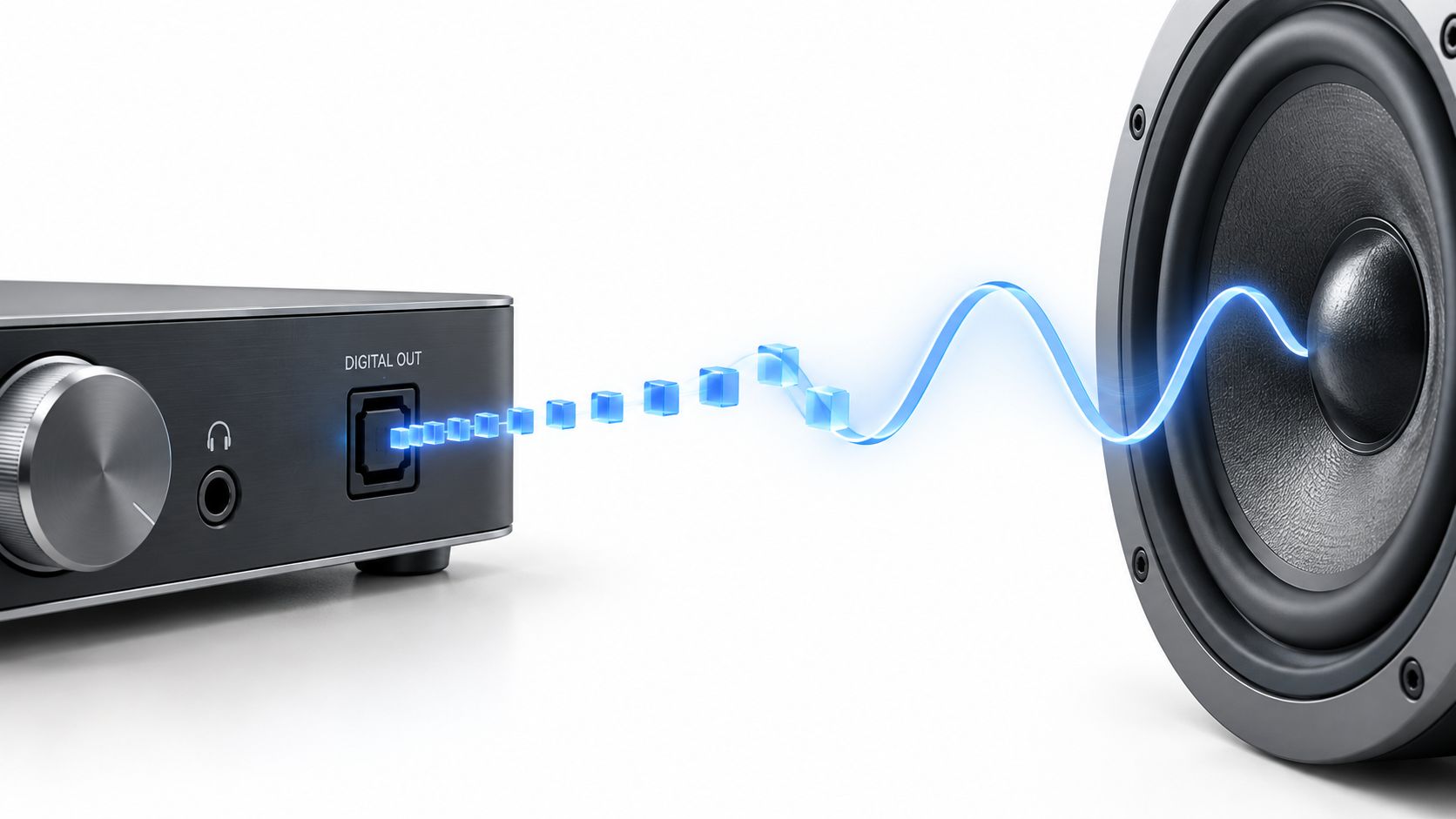
The most popular advice about DACs is backwards. People ask which converter sounds “musical” before asking where the signal is struggling. A DAC doesn't create sound, sprinkle it with audiophile fairy dust, or rescue a weak headphone amplifier. It rebuilds a continuous electrical waveform from digital information, then hands that waveform to everything downstream.
That makes the DAC load-bearing, but not magical. If the conversion is noisy, poorly timed, or badly matched to the output stage, the rest of the system inherits the damage. If the conversion is already competent, your headphones, speakers, amplifier, room, and recording usually carry more of the audible burden. I've heard systems where a modest converter gets out of the way beautifully, and systems where an expensive one merely polishes the wrong bottleneck.
So, what is digital to analog conversion in practical terms? It's the translation that lets numbered audio become moving voltage, then driver movement, then pressure in the air. I'll take that translation from sampling math to filters, jitter, real listening chains, and the buying decisions that follow. No dictionary fog. No spec-sheet worship.
The converter is the floor. It isn't the whole house.
Table of Contents
- Your Music Is Already Numbers Before It Hits Your Ears
- How a DAC Rebuilds Sound From Snapshots
- Sampling Rate and Bit Depth Without the Hand Waving
- Filters Oversampling and Jitter in Plain Language
- Where the DAC Actually Lives in Your Listening Chain
- Myths That Sell DACs and What to Listen For Instead
- How to Judge a DAC With Your Ears Not the Spec Sheet
Your Music Is Already Numbers Before It Hits Your Ears
A digital recording begins as measurements. Microphones capture changing air pressure, an analog circuit turns that movement into an electrical signal, and an analog-to-digital converter records the signal as numerical samples. Once stored, streamed, or transported, the music exists as data rather than as a continuously varying voltage.
A DAC reverses the direction. It reads those values and produces an analog electrical signal that can feed an amplifier, headphone driver, or loudspeaker. The speaker doesn't understand a file, a stream, or a row of binary values. It understands voltage and current, delivered in time.
That distinction clears away a lot of nonsense around analog versus digital sound. Digital audio isn't “sound made of stairs” in the literal listening sense, and analog audio isn't automatically more natural because the word sounds warmer. The actual question is whether the system reconstructs the intended waveform cleanly enough for the downstream equipment to do its job.
The snapshot problem
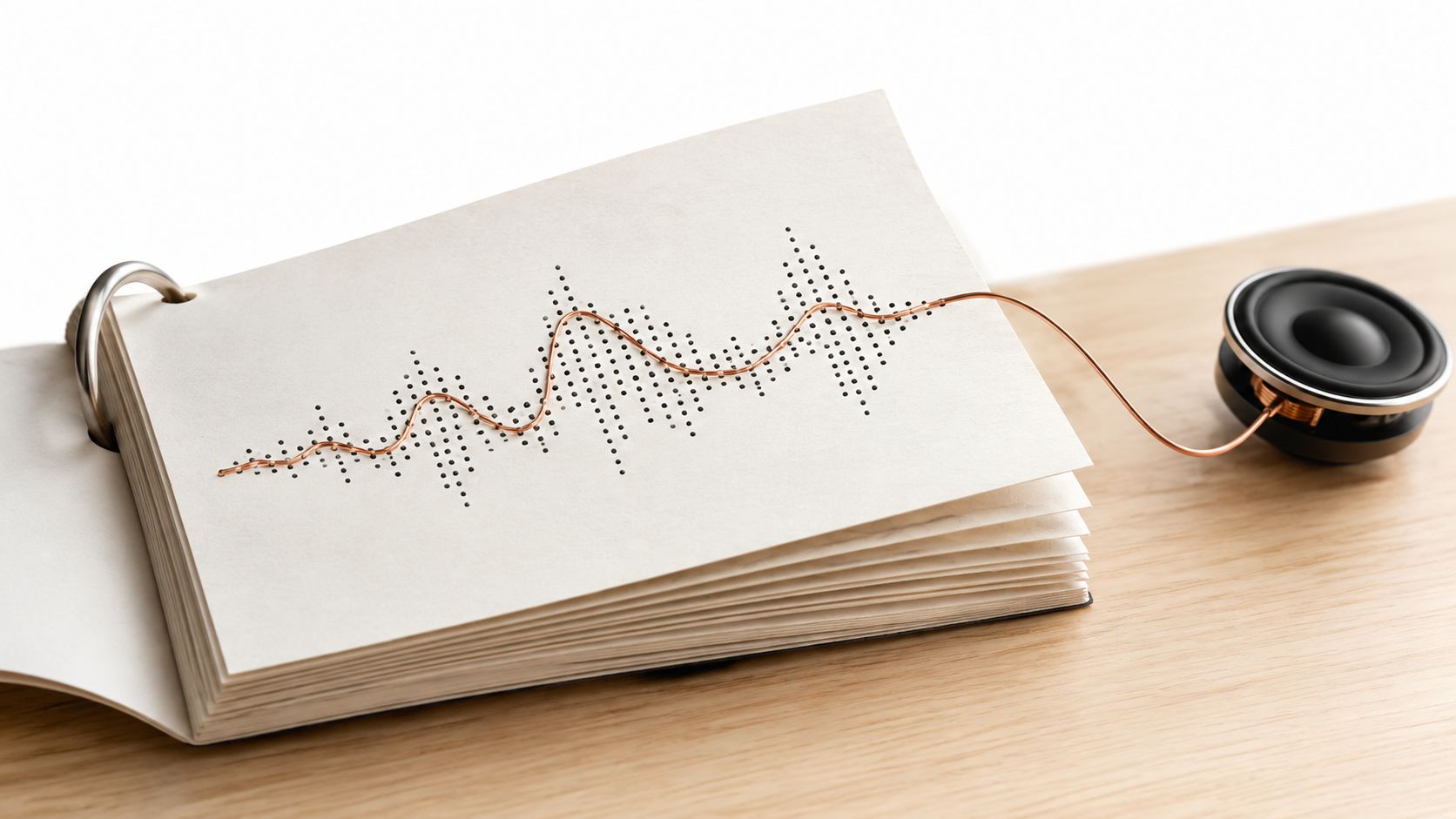
Think of a flipbook. Each page holds one drawing, not the entire motion. Turn the pages quickly and your eyes perceive a continuous action because the drawings capture the sequence closely enough.
Digital audio works on a related principle. Each sample records the signal's value at a particular moment. The DAC uses those samples, timing information, and its reconstruction circuitry to create a voltage that moves continuously between them. It isn't connecting dots with a crude ruler. It's calculating the waveform that best fits the information it received.
Core idea: A DAC doesn't invent music from numbers. It reconstructs a continuous waveform from timed measurements.
That reconstruction must preserve more than the rough shape. Timing matters. Amplitude matters. The analog output needs enough stability and precision that the amplifier can pass the signal along without adding an audible veil, glare, or mechanical unease.
Why every digital device needs one
Your phone needs a DAC because its headphones or speaker need an analog signal. A laptop needs one for its headphone output. A network streamer needs one before sending audio to an analog amplifier. A disc player needs one too, even if its digital circuitry stays invisible behind a neat front panel.
Some amplifiers accept digital inputs and perform the conversion internally. The DAC hasn't vanished. It has moved farther down the chain, usually closer to the amplifier's analog output stage.
The output from a DAC isn't “digital sound.” It's an analog voltage with a changing shape. Feed that into an amplifier and the amplifier increases its ability to drive a transducer. Feed the result into a headphone driver or speaker and the driver moves air.
That's the translation.
How a DAC Rebuilds Sound From Snapshots
A DAC does not pull music out of thin air. It receives timed numerical snapshots and uses them to produce a changing electrical voltage. The sampling theorem sets the boundary: the sampling rate must be greater than twice the highest frequency the system needs to reproduce, as explained in this overview of digital audio sampling.
That rule is less mysterious than it sounds. The recorded signal occupies a defined frequency range, and the sample rate provides enough information to reconstruct that range without two different waveforms becoming indistinguishable.
From stored value to moving voltage
Follow the signal through the hardware:
- The source sends a sequence of digital sample values.
- The DAC receives those values alongside a timing reference.
- Conversion circuitry maps each value to a corresponding analog level.
- A reconstruction filter connects those levels into a continuous waveform.
- The amplifier passes that waveform to a headphone or speaker driver.
- The driver turns electrical movement into pressure changes in the room.
The output does not arrive at your ears as a staircase of tiny voltage blocks. The converter and its filter create a continuously varying electrical signal. The speaker or headphone driver then adds its own behavior, including resonance, distortion, dispersion, and tonal character. One transducer can make a recording feel enclosed and dry. Another can open the same recording into more apparent space.
The DAC lays down the electrical track. The rest of the chain decides how convincingly that track moves air.
The waveform is the message
Digital numbers do not contain separate physical ingredients called bass and treble. They describe a waveform that changes over time. A low note produces slower movement. A high note produces faster movement. A loud passage creates larger excursions, while a quiet passage creates smaller ones.
The DAC has to preserve those relationships. A timing error, level error, or change in waveform shape gives the amplifier a different signal from the one encoded in the file. With a clean conversion stage, a kick drum keeps its physical shove, a vocal occupies a distinct pocket between instruments, and reverberation can fade into the room without a layer of electronic grit.
The converter is a translator, not the performance.
Reconstruction is where design starts to matter
Two DACs can receive identical data yet produce different analog outputs. The conversion chip is only one part of the route. Clocking, power supply, output stage, filtering, grounding, and the surrounding implementation all shape what reaches the amplifier.
That does not make every design difference audible. Competent designs can sound very close. Audible trouble is more likely when the output stage adds noise, struggles with the connected load, or combines timing and filtering choices poorly with the rest of the system.
Listen for the whole path. A DAC supplies the voltage, the amplifier supplies drive, and the transducer exposes the character of the complete chain. The room then adds its own reflections, resonances, and distance. That is why a DAC can be load-bearing without being magic. When the other links are already the bottleneck, swapping the converter may change far less than the sales copy suggests.
Sampling Rate and Bit Depth Without the Hand Waving
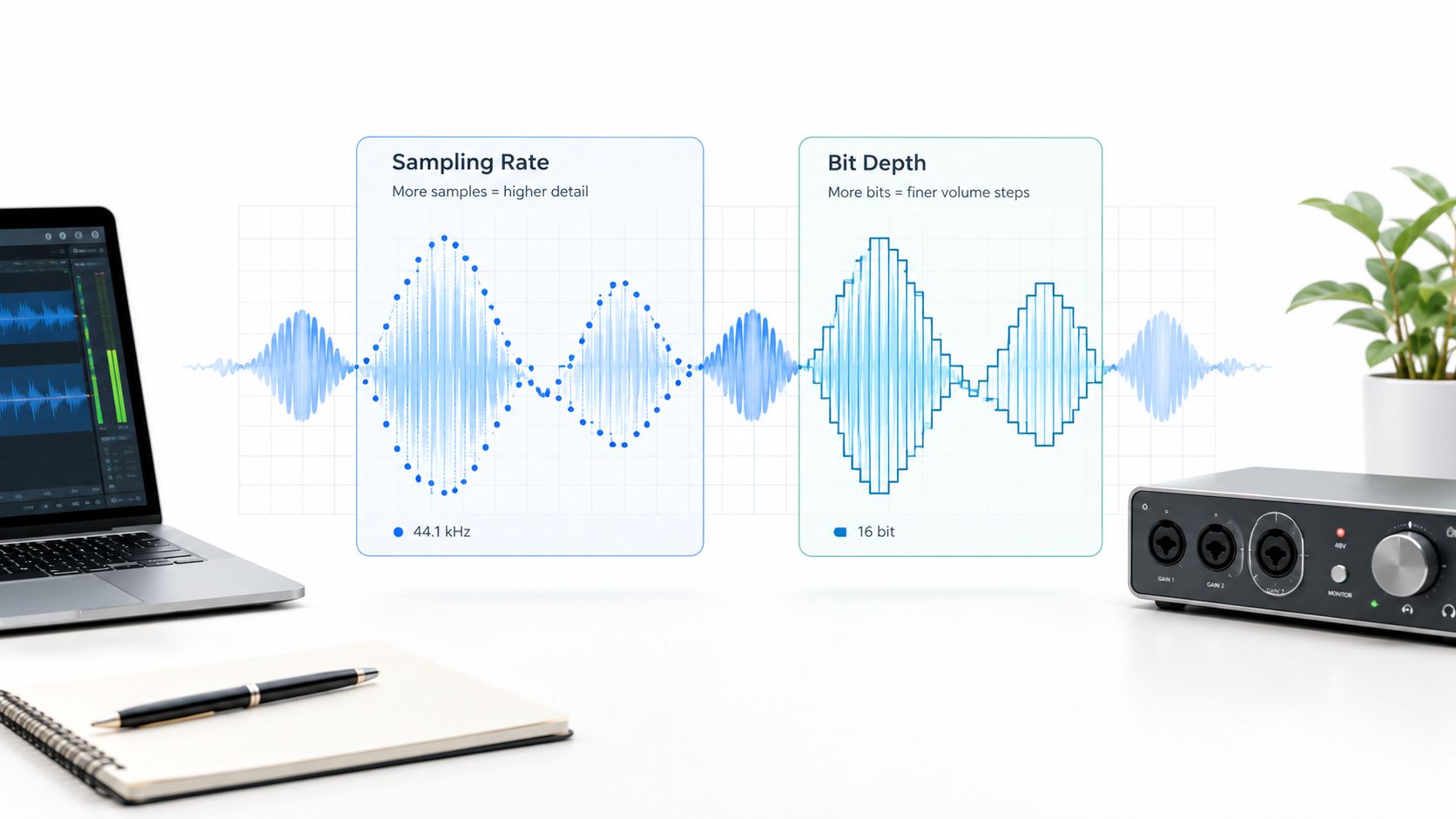
Sampling rate and bit depth describe different kinds of resolution. Sampling rate concerns time, or how often the system measures the waveform. Bit depth concerns amplitude, or how precisely it records each measurement's level.
One sets the ceiling. The other sets the floor.
Sampling rate sets the frequency ceiling
A higher sampling rate takes more measurements across time. The sampling theorem requires a rate greater than twice the highest frequency the system intends to reproduce. Half the sampling rate is the Nyquist frequency, the upper boundary that the encoded system can represent.
CD audio uses 16-bit audio at 44.1 kHz. Its Nyquist frequency is 22.05 kHz, just above the top of nominal human hearing. That boundary describes the format's usable ceiling. It does not promise that every listener, recording, or speaker reaches it cleanly.
You usually notice sampling-rate limits indirectly. If the upper band is poorly handled, cymbals may lose air, room reflections may seem to stop short, and a plucked string can lose some of its clean edge. The sample rate is not automatically guilty. The recording, reconstruction filter, amplifier, or transducer may be responsible for the dull hi-hat.
Sampling rate creates room for the system to handle high frequencies. The number matters because it gives the converter space to represent the audio and manage what sits above it.
Bit depth sets the quiet floor
Bit depth divides signal amplitude into available levels. More levels allow smaller changes to be represented relative to the loudest signal. In listening terms, bit depth relates to dynamic range, low-level detail, and the noise floor.
A raised noise floor crowds the quiet parts of music. The tail of a piano note may become grainy or vanish earlier. A singer's breath can lose texture. Low-level ambience may feel like a painted backdrop instead of a room with air around the instruments.
Bit depth does not manufacture detail. A noisy analog stage, poor gain structure, or loud listening room can bury the benefit of a quieter digital floor. After the DAC produces an analog signal, the rest of the chain still has to preserve it.
Why the CD standard still matters
The Red Book compact disc standard, adopted in the early 1980s, made sampling theory a practical consumer format. It established two channels of 16-bit, 44.1 kHz PCM, a specification associated with about 14,000 kbps of raw data, as recorded in this history of DAC development and digital audio standards.
That standard was an engineering target, not mystical perfection. It covered the intended audio band and gave manufacturers a shared format to build around. The ceiling and floor became two parts of one signal path.
Ask whether the recording sounds stable, spacious, textured, and free of strain. Numbers describe the container. Your speakers, headphones, room, and listening position reveal how well the meal was served.
Filters Oversampling and Jitter in Plain Language
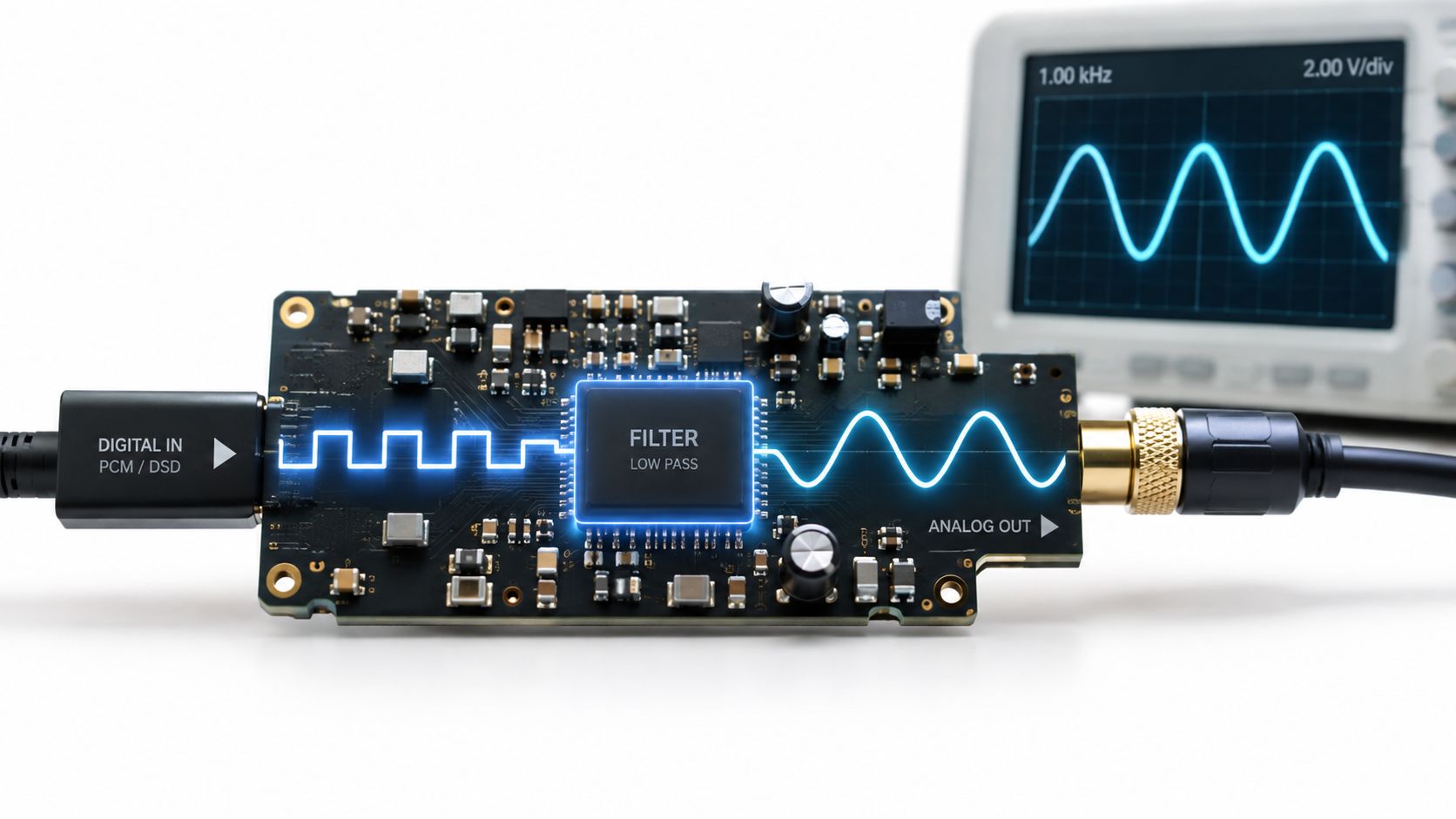
Raw conversion values don't go straight to your ears as jagged steps. A DAC uses a reconstruction filter to remove unwanted high-frequency images created by the sampling process and shape the output into a continuous analog waveform.
That filter is part of the translation, not an optional garnish.
The filter smooths the edges
A filter has to balance competing demands. It can roll off certain frequencies near the top of the audible band, or it can use a sharper transition that may introduce timing behavior around transients. Different filter designs can trade upper-frequency extension, phase behavior, and pre-ringing.
You don't need to memorize filter families to hear the broad consequences. One setting may sound crisp and immediate, another slightly softer around the edge. A filter that emphasizes a clean leading edge can make percussion feel more explicit. A gentler approach may give strings a rounder attack and less etched space.
Those impressions depend on the complete implementation. The same filter choice can sound different through a bright headphone and a relaxed speaker.
Oversampling gives the filter room
Oversampling inserts additional calculated points between the original samples. The DAC then moves the filtering work farther away from the main audio band, where the analog output filter can operate more gently.
Think of it as giving a carpenter more workspace around a cut. The original shape hasn't gained new musical information, but the conversion stage gains room to manage unwanted material without making a sudden, aggressive transition right beside the audible band.
Oversampling isn't a magical resolution multiplier. It's an implementation technique that can make reconstruction easier to manage.
Jitter is timing wobble
Jitter means that samples arrive or get interpreted with small timing errors. It isn't missing data. It's a clock problem.
If a sample lands slightly early or late, the reconstructed waveform shifts from its intended position. A serious implementation controls that timing carefully. A compromised one can make the stereo image feel less settled, soften the edge of transients, or add a faint hardness that becomes tiring over a long session.
Practical rule: Don't confuse a larger file with a steadier clock.
Jitter belongs on the load-bearing floor because timing errors occur before the amplifier and transducer receive the signal. Downstream gear can't reconstruct the original timing perfectly after the DAC has translated it poorly.
Still, keep proportion. Modern competent DACs generally handle the basic conversion task well. The audible bottleneck often sits elsewhere, especially when a headphone output lacks current, a speaker interacts badly with the room, or the transducer's response dominates the tonal balance.
The filter shapes the handoff. The clock keeps it orderly.
Where the DAC Actually Lives in Your Listening Chain
The market has buried DACs inside ordinary electronics, which makes the practical question more useful than the dictionary one. A 2026 market summary places the DAC market at USD 1.7 billion in 2024 and USD 1.94 billion in 2026, with consumer electronics cited as a 45% growth driver and over 63% of smartphones and tablets integrating high-precision DACs, as reported in this DAC market summary.
The scale tells us that DACs are everywhere. It doesn't tell us where your system needs help.
Chain one, phone to IEMs
A phone sends digital audio to a small external dongle or uses its internal conversion stage. The DAC creates an analog signal, and the dongle's output stage drives the IEMs.
Here, the output stage matters as much as the conversion chip. If it lacks suitable power or has a noisy interface, sensitive in-ear monitors may reveal hiss. If the signal level and output impedance interact poorly with the earphones, tonal balance can shift.
You might hear a tighter center image and cleaner quiet passages after changing the dongle. You might also hear almost nothing because the original output already handles the earphones properly. That isn't failure. It's a solved problem.
Chain two, desktop USB DAC to headphones
A computer sends digital audio to a USB DAC, which feeds a separate amplifier and headphones. This arrangement gives you distinct boxes, but it also gives you more places for the bottleneck to hide.
A converter with a clean analog output can present a blacker background and more stable placement. The amplifier then decides whether the headphones receive enough control and headroom. The headphones decide whether that improved signal becomes believable space or merely a more polished version of the same tonal imbalance.
If the headphones sound congested, start there. A DAC won't turn a closed-in transducer into an open window.
For systems where level management matters, I've also written about DACs with volume control. Volume control changes the system's operating arrangement, so treat it as part of the chain rather than a decorative feature.
Chain three, streamer to integrated amplifier and speakers
A network streamer may convert internally, or it may send digital audio to an integrated amplifier that performs conversion inside its chassis. Either way, the analog signal eventually reaches an amplifier output stage and then the speakers.
The room now becomes a major player. Speaker placement, listening position, bass behavior, reflections, and the speaker's own response can overwhelm subtle converter differences. If the speakers excite a room mode, replacing the DAC won't remove the boom. It will just give the boom a cleaner passport.
Listen at the loudspeaker, not at the brochure.
To audition a DAC fairly, keep the source, recording, volume, and downstream chain fixed. Match levels closely, switch quickly, and listen for stable differences in texture, weight, image placement, and fatigue. If you can't describe the change without reaching for adjectives like “more musical,” wait before buying.
The system decides. Not the badge.
Myths That Sell DACs and What to Listen For Instead
DAC marketing loves a clean hierarchy. Bigger sample rate, higher price, more mysterious power supply, superior musicality. That language sells a story because the actual chain is harder to explain and much less flattering to the upgrade path.
Higher numbers always sound better
Not higher numbers, but appropriate implementation. Sampling rate sets a frequency ceiling, while bit depth concerns amplitude precision and the noise floor. Once a system covers the intended signal range cleanly, other design choices can matter more to what you hear.
A bigger number may describe a different file or operating mode. It doesn't guarantee better filtering, lower noise, a stronger output stage, or a better match with your headphones.
All DACs sound exactly the same
Not always, but differences need context. A well-implemented converter can sound extremely close to another competent converter. That doesn't make the devices identical, and it doesn't justify treating every audible difference as profound.
Listen for repeatable changes. Does the vocal occupy the same position? Does the bass carry the same physical weight? Does the cymbal decay remain intact without turning sharp? If the change only appears after you read the product description, your ears may be following the marketing department.
Expensive equals detailed
Price isn't detail. Detail comes from preserving low-level information without adding noise, distortion, or aggressive brightness that impersonates resolution.
A bright output can make edges feel more visible. That may sound impressive for a short audition, like turning the sharpness control on a television. Over time, the presentation can become tiring rather than revealing.
I cover the buying question more directly in this guide to whether a DAC is worth it. The answer depends on the existing output, the load it drives, and the rest of the listening environment.
Format wars decide musicality
File format isn't the same thing as emotional impact. A beautifully recorded performance can sound convincing through a modest chain, while a poor master remains flat through expensive equipment.
The useful cues stay physical:
- Texture: Can you hear the grain of a bowed string without artificial fizz?
- Weight: Does a bass note push the room, or merely announce its presence?
- Space: Do reverberation and room reflections form a believable depth?
- Timing: Do attacks and pauses feel settled, or slightly smeared?
I'll be honest about the commercial layer here. Supermarket Sound has to rank to survive, and audio searches reward grand claims. I'd rather tell you that a DAC may not be your bottleneck than sell you another silver box for a problem caused by placement, amplification, or headphones.
The spec sheet can describe the floor. It can't tell you where the music lives.
How to Judge a DAC With Your Ears Not the Spec Sheet
Start with the weakest link you can identify. If your headphones don't suit the recording, your speakers overload the room, or your amplifier struggles with the load, a new DAC is arriving at the wrong address.
Then test the converter in a controlled chain:
- Keep the same source and recording.
- Match playback levels as closely as you can.
- Change one component at a time.
- Listen for texture, weight, space, and timing.
- Return to the original setup before deciding.
Ignore vague impressions that don't survive repeated listening. A real difference should remain recognizable after the novelty fades. If the new DAC makes the center image steadier or quiet ambience easier to follow, that may matter. If it only makes the treble flashier, you may be buying fatigue with nicer packaging.
A DAC matters most when it removes a real obstruction. It matters less when the rest of the chain already receives and delivers a clean signal. Spend accordingly.
Conversion is load-bearing. It isn't the star.
Choose one familiar recording, level-match two conversion paths, and listen for a repeatable change before spending money. If the DAC passes the test, keep it. If it doesn't, put the budget into the component that's starving your music.

